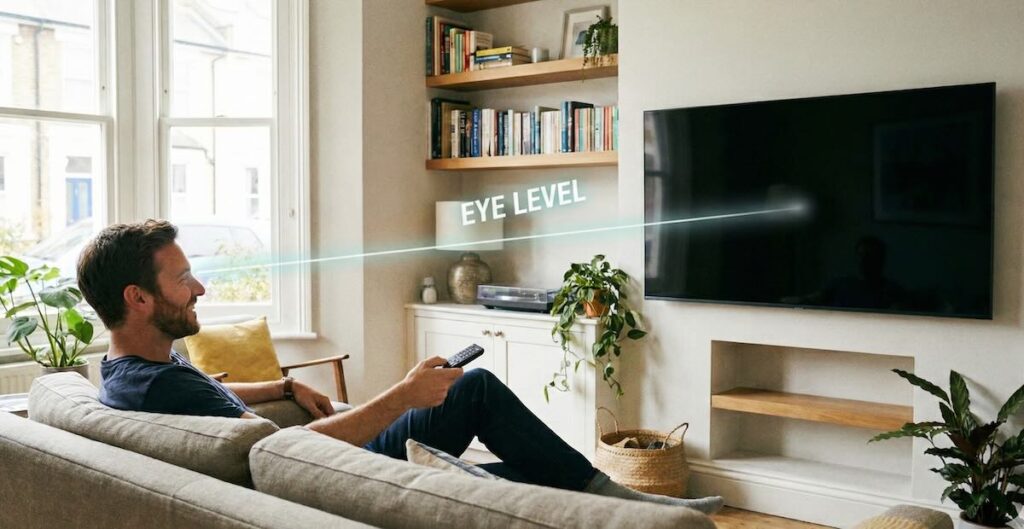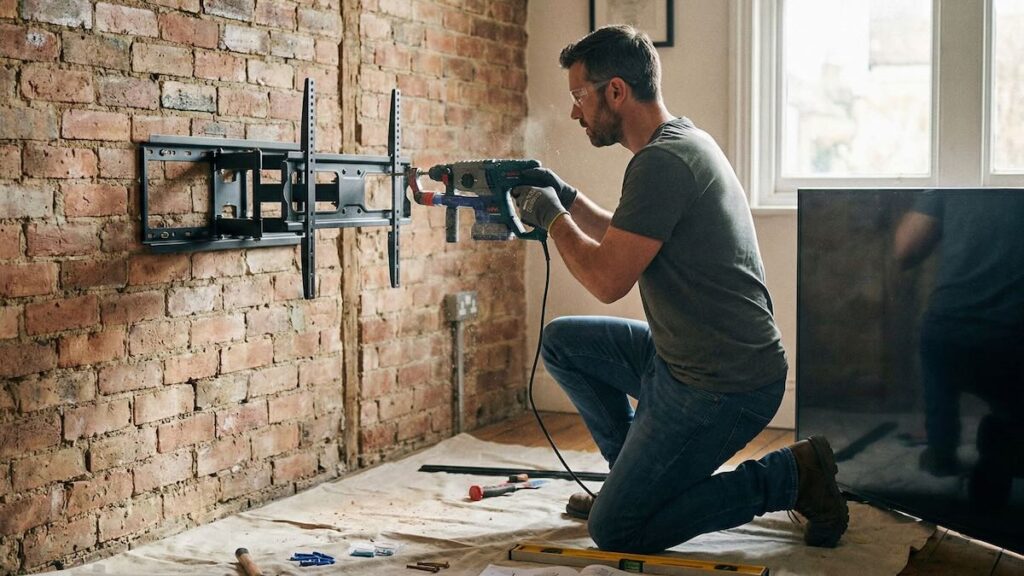
Mounting a TV on brick or concrete is totally doable — but it’s not the same as working with drywall. These surfaces require special tools, anchors, and a bit more precision. Done right, you’ll have a rock-solid setup that can support even the heaviest TVs. This guide will walk you through the process step by step, whether you’re mounting on a fireplace, basement wall, or exposed concrete surface.
- Tools and Materials You’ll Need
- Step-by-Step Installation Guide
- Tips for Drilling Into Masonry
- How to Hide Cables on Brick or Concrete
- When It’s Better to Call a Pro
- Common Mistakes to Avoid
- FAQ
- Conclusion
Tools and Materials You’ll Need
Before you start, make sure you have the right tools and hardware. Mounting into brick or concrete isn’t hard — but the wrong bit or anchor can ruin the job fast.
Essential Tools:
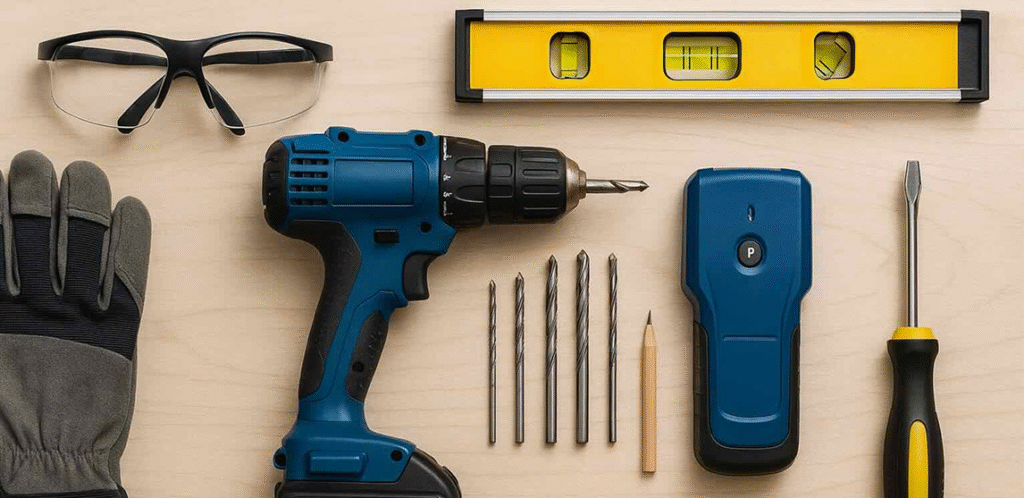
- Masonry drill or a hammer drill (recommended)
- Concrete drill bits (usually 3/8” or 1/2” diameter)
- Masonry anchors or sleeve bolts
- Level and measuring tape
- Pencil or painter’s tape (to mark holes)
- Safety gear: goggles, dust mask, gloves
- Socket wrench or screwdriver for tightening bolts
Optional (but helpful):
- Vacuum or shop vac for cleaning concrete dust
- Cable raceways or surface-mount covers for hiding wires
- In-wall rated extension cord or conduit (if hiding power)
Once your tools are ready, you’re set for a smooth install — as long as you follow the right drilling and anchor technique.
Step-by-Step Installation Guide
Here’s how to mount a TV on a brick or concrete wall — safely and securely — in five key steps:
Step 1: Choose the Right Mount
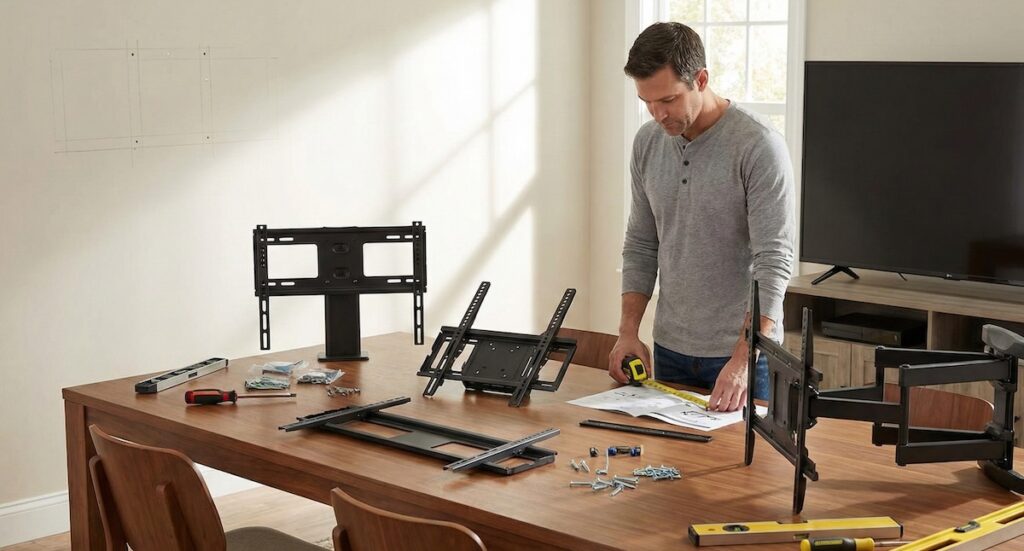
Pick a TV wall mount that matches your TV’s size, weight, and VESA pattern. For brick or concrete, it’s best to use a heavy-duty steel mount. Fixed or tilting mounts work well; full-motion mounts are also fine if you use proper anchors rated for masonry.
Step 2: Mark and Level the Mounting Holes

- Hold the wall plate against the wall where you want to install the TV.
- Use a level to ensure it’s perfectly straight — double check!
- Mark the hole locations with a pencil or painter’s tape.
⚠️ Pro tip: Try to drill into brick, not mortar. Bricks provide stronger support. Mortar can crack or crumble under pressure.
Step 3: Drill Into Brick or Concrete

- Use a hammer drill with a masonry bit the same size as your anchor or sleeve bolt.
- Drill to the full depth needed — typically 2–3 inches deep.
- Clear out dust from the holes using a vacuum or compressed air for maximum grip.
Step 4: Insert Anchors or Sleeve Bolts
- Tap the masonry anchors into each hole with a hammer until they sit flush with the wall.
- For sleeve bolts, push them in and begin tightening slowly — they expand inside the hole as you turn the bolt.
Make sure all anchors are snug before attaching the mount.
Step 5: Attach the Mount and Hang the TV

- Secure the wall plate using the provided bolts or washers.
- Double-check that all bolts are tight and the mount is level.
- Attach the mounting brackets to the back of your TV (according to your TV’s VESA pattern).
- Carefully lift and hang the TV onto the mount — it may take two people for larger screens.
Once mounted, gently pull or tilt the TV to test stability. If it moves or wobbles — recheck all anchor bolts.
Tips for Drilling Into Masonry Without Cracks or Dust
Drilling into brick or concrete isn’t difficult, but doing it wrong can cause cracks, blowouts, or excessive dust. Here are some expert tips to get clean results:
✅ Use the Right Drill
A standard drill may struggle or overheat. Use a hammer drill or rotary hammer with a carbide-tipped masonry bit for best results. These tools are made for hard materials and give you better control.
✅ Drill Into Brick (Not Mortar)
Always aim for the center of a solid brick or concrete block. Mortar is weaker and can crumble or loosen over time — especially with heavier TVs.
✅ Start Slow, Then Speed Up
Begin drilling slowly to avoid cracking the surface, then increase speed once the bit has a grip. Apply steady pressure, but don’t force it — let the tool do the work.
✅ Control the Dust
- Use a vacuum near the drill while working to capture dust instantly.
- Or, tape a paper envelope or plastic bag under the hole to catch falling debris.
- Blow out holes with compressed air or a straw before inserting anchors.
✅ Avoid Overdrilling
Measure your bit depth and mark it with painter’s tape so you don’t go too deep. This keeps the anchor secure and prevents unnecessary damage.
💡 Bonus Tip: If you’re drilling above a fireplace, wear a dust mask — soot mixed with concrete dust can be very irritating.
How to Hide Cables on Brick or Concrete Walls
One of the biggest challenges after mounting a TV on a masonry wall is hiding the cables. Since brick and concrete aren’t easy to cut into, here are the most effective options:
Option 1: Surface Cable Covers (Most Common)
- Use paintable plastic raceways to run HDMI, power, and other cables down the wall.
- Attach them with adhesive or screws — they sit flat against the wall and can be painted to match.
- Ideal for fireplaces, feature walls, or any area where in-wall wiring isn’t possible.
Option 2: Conduit or External Channeling
- For a more industrial look, use metal or PVC conduit for power and signal wires.
- Works well in loft-style interiors or exposed brick walls.
- Some conduit systems have separate compartments for power and low-voltage cables.
Option 3: In-Wall Cable Kit (Only If You Cut Channels)
In some advanced installs, pros use a wall chaser or rotary tool to cut a shallow groove into the masonry, lay conduit, then patch and paint. This is usually only practical during renovations or for brick veneers — not full-thickness walls.
Electrical Safety Note:
Never run a power cord behind a wall without using an in-wall rated power relocation kit. It must follow building codes and separate power from signal cables for fire safety.
When It’s Better to Call a Pro
While many homeowners can handle TV mounting on brick or concrete themselves, some situations call for professional help:
- You don’t have a hammer drill and don’t want to buy or rent one
- Your wall is very old, brittle, or crumbling and may crack under pressure
- You’re mounting above a fireplace and need precise tilt and height control
- You want in-wall cable routing or need to relocate a power outlet
- Your TV is 65 inches or larger and requires precise alignment and extra support
In these cases, hiring a pro ensures the job is done right the first time — clean, secure, and code-compliant. Many experienced installers also carry heavy-duty anchors and industrial tools most DIYers don’t keep on hand.
💡 Bonus: A pro can often complete the job in under an hour, saving you time, effort, and the headache of drilling into the wrong spot.
Common Mistakes to Avoid
Mounting a TV on masonry is all about precision. Here are the most common mistakes — and how to avoid them:
- Drilling into mortar instead of brick: Mortar is weak and can crumble over time. Always drill into solid brick or block.
- Using drywall anchors: These will fail on concrete. Use sleeve anchors or masonry-specific hardware only.
- Skipping the level: An uneven TV is hard to ignore once it’s up. Always double-check your markings before drilling.
- Overdrilling the holes: Too-deep holes can weaken anchor grip. Use tape to mark bit depth.
- Not pre-checking wall stability: Cracked or hollow bricks may not support heavy loads. Knock-test or consult a pro if unsure.
FAQ
Can I mount a TV directly to brick without anchors?
No — anchors or sleeve bolts are essential. They expand in the wall to hold the weight securely. Never screw directly into masonry.
What type of drill should I use?
A hammer drill is ideal. Standard drills may work on soft concrete, but struggle with brick or harder surfaces.
Will drilling damage my wall?
If done correctly, damage is minimal and limited to small holes. Use painter’s tape while drilling to reduce surface chipping.
How do I hide wires on a brick wall?
Use paintable cable raceways or conduit. For a cleaner look, hire a pro to cut channels or route wiring through the wall.
Is it safe to mount a 75” TV on brick?
Yes, if you use the right heavy-duty mount and anchors. Brick walls can support large TVs — sometimes even better than drywall with studs.
Conclusion
Mounting a TV on a brick or concrete wall may seem intimidating, but with the right tools and step-by-step approach, it’s absolutely achievable. Whether you’re upgrading your living room or finishing out a basement or garage wall, masonry surfaces offer a strong, secure foundation for your screen — if you mount them properly.
Use the correct drill, hit the brick (not mortar), and choose the right anchors. And if you ever feel uncertain — especially with large TVs or fireplaces — don’t hesitate to call a pro. A solid install today means years of safe, stylish viewing ahead.